Streaming Radio Player
Internet radio with your audio in view — Version 1.0.0
Streaming Radio Player (SRPlayer) brings your Internet radio stations together in a compact Windows desktop application. Save station names and direct MP3 stream URLs, choose what to listen to and control playback from a dedicated window.
Its dark graphite interface keeps the stereo audio levels, data reception and available buffer time in view while you listen. Manage your own station list without keeping a radio website open.
Key features
- Listen to direct MP3 audio streams over HTTP or HTTPS.
- Add, edit and remove stations in a personal list, organized alphabetically by name.
- Start or stop playback and switch to another station while listening.
- Adjust the listening volume with a mouse-operated slider.
- Monitor independent left and right RMS levels and peak indicators on a dBFS scale.
- View the incoming audio levels even when the output volume is turned down.
- Check data reception, playback status and the available audio buffer in seconds.
- Keep your station list, selected station and window position in a local configuration file.
Screenshot
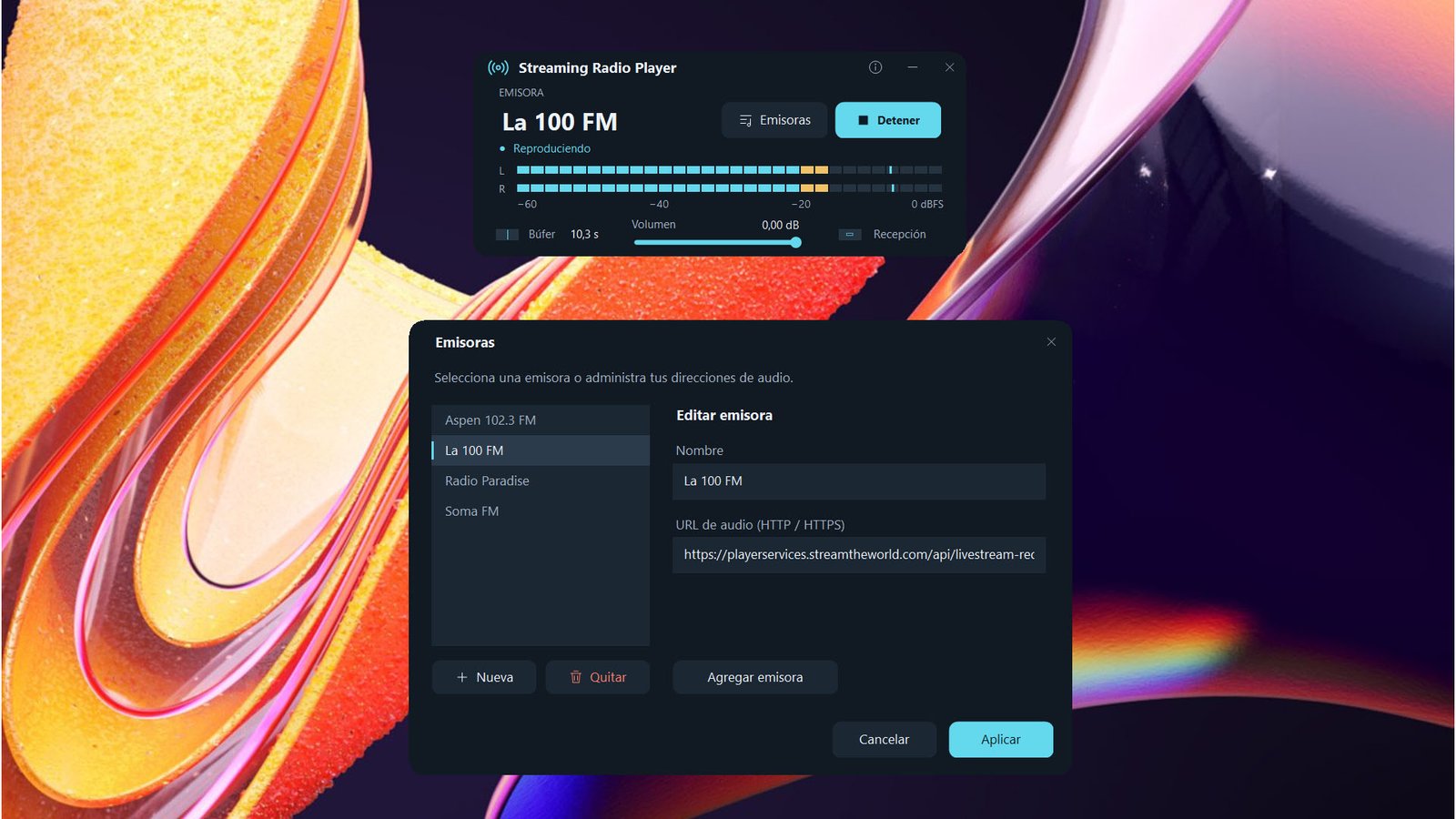
Click to enlarge
Getting started
- Open Emisoras, choose Nueva and enter a name and a direct MP3 stream URL.
- Save the entry, select your station and click Aplicar.
- Click Reproducir, allow the audio buffer to fill and adjust the volume.
Use a direct MP3 audio URL supplied by the station. Radio web pages and M3U/PLS playlist files are not supported.
Free Windows x64 desktop player. Requires .NET Desktop Runtime 10 x64 and an Internet connection.
Download for WindowsLicense
- License price: FREE
File Details
- Version: 1.0.0
- File: SRPlayer.exe
- OS: Windows x64
- Install: Portable executable
- Requires: .NET Desktop Runtime 10 x64
- Audio source: Direct MP3 stream (HTTP/HTTPS)
- Connection: Internet access and an audio output device
- Interface: Spanish
Click to enlarge