Spectrum Analyzer
See the sound of your PC in real time — Version 1.0.0

Spectrum Analyzer turns the audio playing through a selected Windows output into a live LED spectrum. Explore the sound of music, videos and games, compare left and right digital levels, and follow frequency changes over the last 20 seconds.
Its Studio interface brings the spectrum, stereo meters and spectrogram together in one window. Customize the bands, colors and lighting, or explore known signals with the built-in tone, sweep and multitone generator. Analysis runs locally on your PC.
Key features
- Choose 31, 64, 96 or 128 spectrum bands on a logarithmic frequency scale.
- Follow the spectrum average and recent peaks, with controls for peak hold and LED glow.
- Monitor separate left and right sample-peak and RMS readings in dBFS.
- Track frequency changes with a spectrogram covering the last 20 seconds.
- Generate tones, logarithmic sweeps and twelve simultaneous tones to explore known signals.
- Choose Aurora, By level, Amber or Violet colors and Subtle, Studio or Intense effects.
- Use Auto scale to see lower-level signals more clearly while stereo meters retain their digital readings.
- Set a visual frame-rate limit of 30, 60 or 120 FPS, switch to full screen, and freeze or resume the view.
- Keep your selected audio output and visual preferences between sessions.
Screenshot
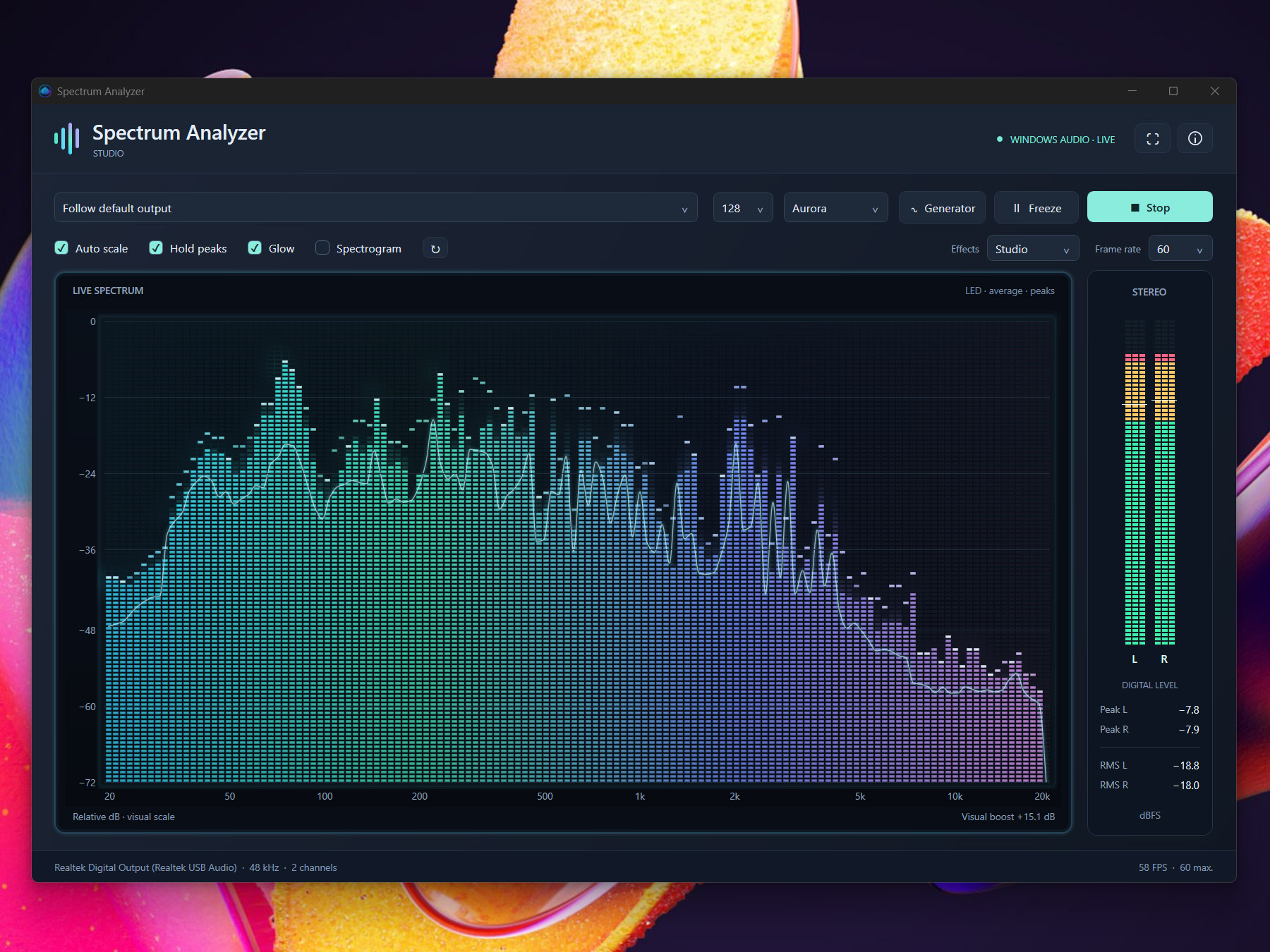
Click to enlarge
Getting started
- Run spectrumanalyzer.exe and select an audio output, or use Follow default output.
- Click Start, then play music, a video or other audio through that same Windows output.
- Choose your bands, palette and effects. Enable Spectrogram to view the frequency history.
- Open Generator to try tones, sweeps or multitones through the output being analyzed.
The analyzer monitors the combined audio from one Windows output at a time. No Stereo Mix or return cable is needed. Visual settings do not change the sound; the generator emits audio when activated. Protected audio and some exclusive or ASIO paths may be unavailable.
Free desktop application for Windows 11 x64. Requires .NET Desktop Runtime 10 x64 and an active audio output.
Download for WindowsLicense
- License price: FREE
File Details
- Version: 1.0.0
- File: spectrumanalyzer.exe
- OS: Windows 11 x64
- Requires: .NET Desktop Runtime 10 x64
- Audio source: Windows output (WASAPI loopback)
- Frequency range: 20 Hz to 20 kHz, subject to output sample rate
- Level meters: Sample peaks and RMS in dBFS
- Interface: English
Click to enlarge