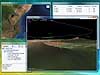
Ge2Ov2 converts Waypoints, Routes and
Tracks from KMZ or KML to TomTom Navigator overlay (OV2)
file in a few steps.
KMZ or KML to OV2 file format
How to proceed:
Save your points in KMZ or KML format.
Load that file using Ge2Ov2
Then edit, modify and delete waypoints, and select
the data that you want to convert to TomTom Navigator
overlay (.OV2) format and save it.
Upload the OV2 converted file to your GPS device,
PDA/Palm or another PC software.
Information
License
· License price: € 20 Euros
· Payment: one time, credit card
· Taxes: no taxes, no additional costs
· License type: single user, single machine
· License validity period: no time limit
· Support period: one year
· Updates: for free
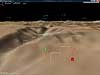
GTerrain is the
only OFF-LINE 3D platform that combines NASA imagery,
topography data, and millions of land markers into
a relatively small but powerful worldwide platform.
GTerrain will allow you to load and display your
Waypoints, Routes and Tracks from many file formats.
No Internet connection required.



 This software is digitally signed with an Authenticode Certificate
to ensure its integrity and authenticity.
This software is digitally signed with an Authenticode Certificate
to ensure its integrity and authenticity.